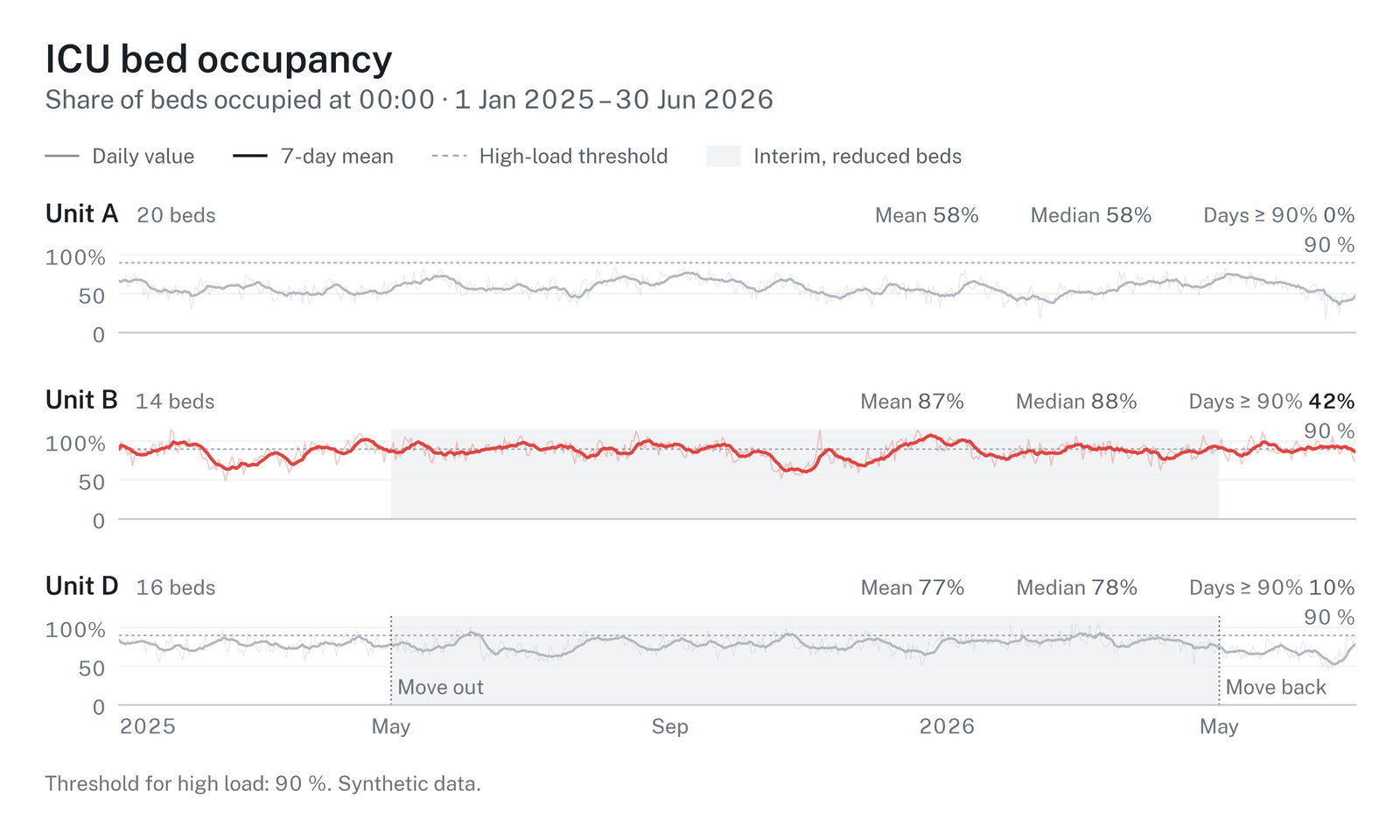
Clean, predictable figures for medical and data science, built on ‘ggplot2’. One frame for titles, legends, panels and captions, one type scale, colour-vision checked palettes, and print-ready files. The Python package of the same name draws the same figures from the same design tokens, so an R figure and a Python figure in one manuscript match.
install.packages("hairline")R 4.3 or later with ‘ggplot2’ 4.0 or later. The bundled font,
Hairline Sans, needs no installation for PNG, SVG and HTML; for PDF on
macOS without XQuartz, run hl_install_font() once.
Most studies need the same few results: a cohort description, a
comparison between groups, effects, events over time.
hl_study() takes a data frame once, with the role of each
column, checks the data, and returns each result as a figure, a table,
the key values and a sentence for the text.
library(hairline)

set.seed(1)
cohort <- data.frame(arm = rep(c("Standard care", "Early mobilisation"), each = 40),
                     age = round(rnorm(80, 64, 12)), sex = sample(c("Female", "Male"), 80, TRUE),
                     months = round(rexp(80, 0.05), 1), died = rbinom(80, 1, 0.4))
study <- hl_study(cohort, group = "arm", time = "months", event = "died",
                  units = c(age = "years", months = "months"))

table_one <- hl_describe(study)    # Table 1: median (IQR) and n (%) per group
table_one$table                    # a data frame
age <- hl_compare(study, "age")    # spread rows per group, Wilcoxon rank-sum
age$text                           # "Age (years), median (IQR): ... (Wilcoxon rank-sum, p = ...)."
survival <- hl_survival(study)     # Kaplan-Meier with numbers at risk and the log-rank test
hl_save(survival$figure, "survival")              # survival.pdf and survival.png
Printing a study lists its checks: missing values, duplicate ids, categories that differ only in case, small groups, numeric columns without a unit. Errors stop the analysis; warnings name the fix.
Each chart is one call with the data and its column names, and
returns a ggplot in the hairline frame: hl_bars(),
hl_scatter(), hl_timeseries(),
hl_spread(), hl_raincloud(),
hl_ridgeline(), hl_kaplan_meier(),
hl_forest(), hl_dotplot(),
hl_funnel(), hl_correlation(),
hl_donut(), hl_partition(),
hl_sankey(), hl_chord(),
hl_arcs(), hl_venn(), hl_prisma()
and hl_risk_of_bias().
admissions <- data.frame(diagnosis = c("Sepsis", "Sepsis", "Trauma", "Cardiac", "Cardiac"),
                         sex = c("Female", "Male", "Male", "Female", "Male"))
figure <- hl_bars(admissions, "diagnosis", by = "sex", subtitle = "Admissions, 2025")
hl_save(figure, "admissions", formats = c("pdf", "png", "svg", "html"))
For anything else, theme_hairline() puts the same frame
around your own ggplot:
library(ggplot2)
figure <- ggplot(mtcars, aes(wt, mpg)) + geom_point() +
  labs(title = "Fuel use by weight", x = "Weight (1000 lb)", y = "Miles per gallon") +
  theme_hairline()
hl_save(figure, "fuel", size = "single")Groups take a palette’s colours in order, so two groups always get
the same two colours and a group keeps its colour in every chart.
hl_palettes() lists the six palettes, the purpose sets (two
groups, greyscale print, risk of bias) and the ramps for amounts;
hl_swatches() draws them;
hl_use(palette = "calm") changes the default;
hl_use(colors = c("Unit B" = "#e79d01")) pins a colour to a
name; scale_fill_hairline_c("blues") gives a ramp to your
own ggplots. ?hairline_colours has the details.
hl_save() writes PDF, PNG and TIFF (600 dpi by default),
SVG (text kept as text) and self-contained interactive HTML with
tooltips. Files carry the figure’s title and subtitle as their
description, and no timestamps.
hl_use(brand = "_brand.yml") applies an institution’s
colours, fonts and sizes from a brand.yml file;
several files layer from institution to document.hl_use(colors = c("Unit B" = "#e79d01")) pins a colour
to a name across every chart.hl_check_palette() reports the numbers.hl_use(scheme = "dark", accent = "#0b6e4f") draws on a
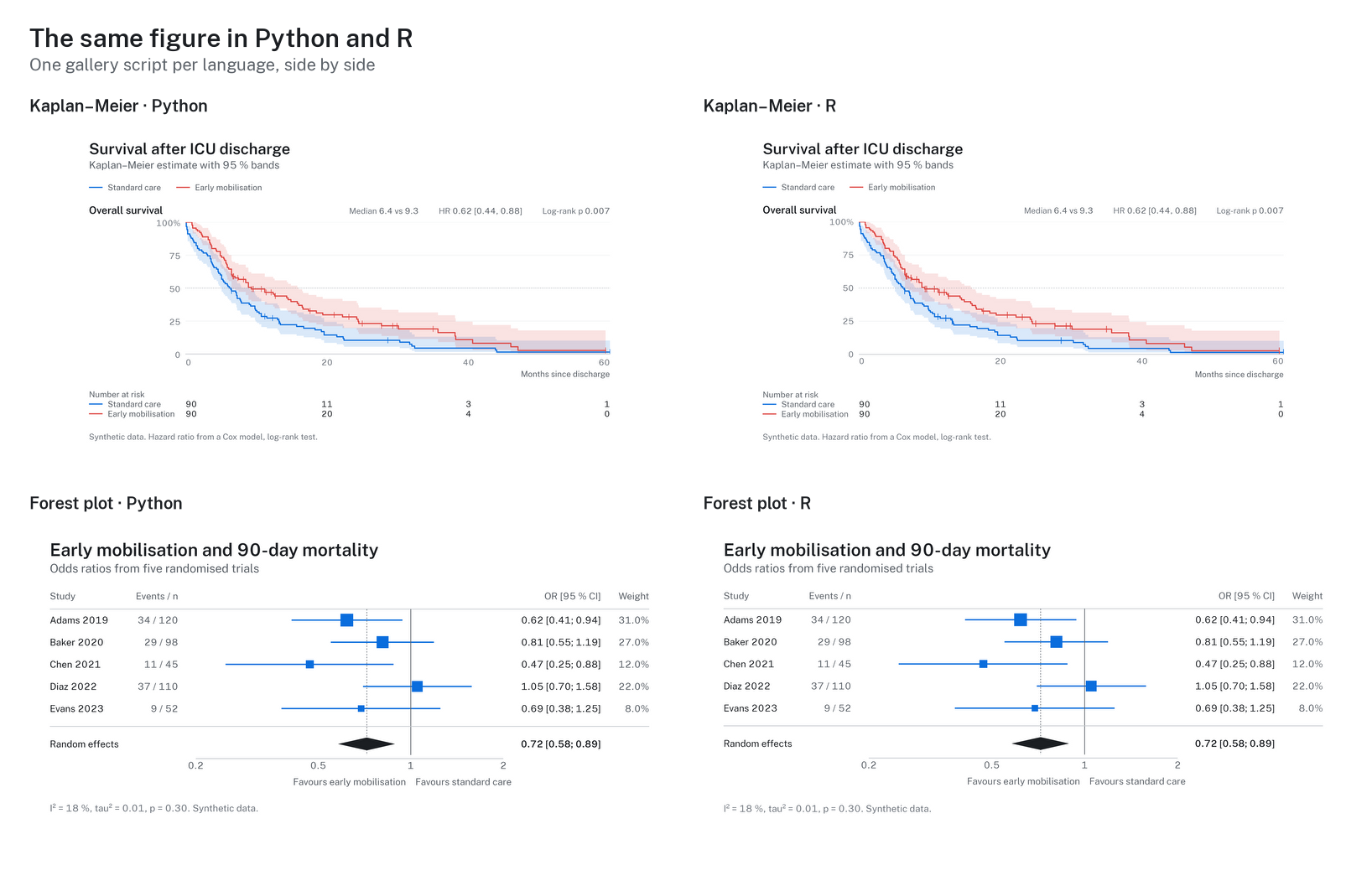
dark surface with an accent for single series.More figures, Python and R side by side, and the colour guide: https://github.com/schradern/hairline.
Nikolas Schrader (hi@nikolasschrader.com), ORCID 0009-0001-4616-3804.
If hairline helped you make the figures in your work, please cite it;
citation("hairline") prints the reference:
@Manual{schrader2026hairline,
  title = {hairline: Clean, Predictable Figures for Medical and Data Science},
  author = {Nikolas Schrader},
  year = {2026},
  note = {R package version 0.1.0},
  doi = {10.5281/zenodo.23456212},
}MIT. The bundled Hairline Sans font is a modified Public Sans (SIL
Open Font License 1.1); see inst/COPYRIGHTS.